- File
-
Designs
-
-
All Categories -
Category #1 - New Category
-
My designs
-
-
Help
-
Quick help
Click on the TEXT menu on the left.
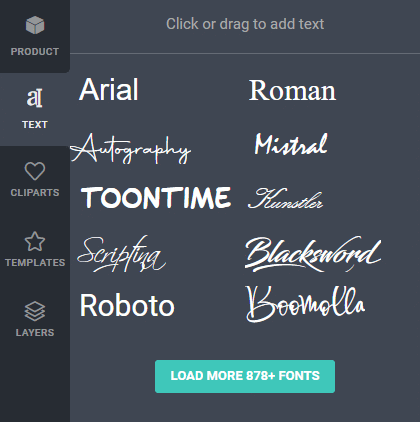
You can LOAD MORE Google Fonts.
Click or drag a font to add text. New text will be added to the center and an EDIT TEXT box will open.
(If not Double Click on the added text.)
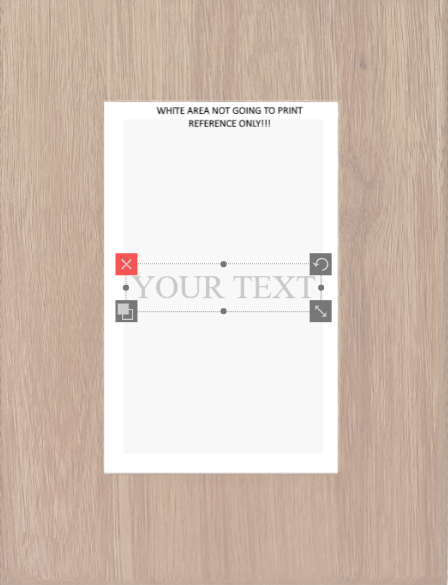

Enter your desired text.
Use Font size to change the size of the text. (PLEASE NOTE - Do not resize text using the handle.)
Letter spacing adjusts the distance between letters.
Line height adjusts the distance between lines if there are two or more lines of text.
Drag text to desired position.
Use the following handles:
 to delete.
 to duplicate.
 to rotate.
PLEASE NOTE - Only text on the frame will be printed!
Copyright © 2022 WOOD4U.
All Rights Reserved.- ctrl+a
Select all objects
ctrl+d Double the activate object
ctrl+e Clear all objects
ctrl+s Save current stage to my design
ctrl+o Open a file to import design
ctrl+p Print
ctrl++ Zoom out
ctrl+- Zoom in
ctrl+0 Reset zoom
ctrl+z Undo changes
ctrl+shift+z Redo changes
ctrl+shift+s Download current design
delete Delete the activate object
← Move the activate object to left
↑ Move the activate object to top
→ Move the activate object to right
↓ Move the activate object to bottom
shift+← Move the activate object to left 10px
shift+↑ Move the activate object to top 10px
shift+→ Move the activate object to right 10px
shift+↓ Move the activate object to bottom 10px -
Copyright © 2022 WOOD4U.
All Rights Reserved.Powered by Lumise version 2.0.1
-
- Shop
- Undo
- Redo
- 0.0
-
My Cart
- Back To Shop
-
Start designing by adding objects from the left side
- All selected objects are grouped | Ungroup?
- Group objects Group the position of selected objects
-
-
Fill options
-
-
Options
-
Automatically align the position of <br>the active object with other objects -
ON: Keep all current objects and append the template into<br> OFF: Clear all objects before installing the template -
Replace the selected image object instead of creating a new one
-
- Replace image
- Crop
-
Mask
-
Select mask layer
-
-
Remove background
-
Remove background
-
Deep:
-
Mode:
-
-
Filters
-
Filters
-
- Original
- B&W
- Satya
- Doris
- Sanna
- Vintage
- Gordon
- Carl
- Shaan
- Tonny
- Peter
- Greg
- Josh
- Karen
- Melissa
- Salomon
- Sophia
- Adrian
- Roxy
- Singe
- Borg
- Ventura
- Andy
- Vivid
- Purple
- Thresh
- Aqua
- Edge wood
- Aladin
- Amber
- Anne
- Doug
- Earl
- Kevin
- Polak
- Stan
-
Brightness:
-
Saturation:
-
Contrast:
-
- Clear Filters
- Click then drag the mouse to start drawing. Ctrl+Z = undo, Ctrl+Shift+Z = redo
- QRCode text
-
Fill options
-
Fill options
-
Transparent:
-
Stroke width:
-
Stroke color:
-
- Ungroup position
-
Arrange layers
-
Position
-
Object position
Lock object position:
-
Center vertical
-
Top left
-
Top center
-
Top right
-
Center Horizontal
-
Middle left
-
Middle center
-
Middle right
- Press ← ↑ → ↓ to move 1 px, <br>Hit simultaneously SHIFT key to move 10px
-
Bottom left
-
Bottom center
-
Bottom right
-
-
Transforms
-
Rotate:
-
Skew X:
-
Skew Y:
-
Flip X:
Flip Y:
Free transform by press SHIFT+⤡
-
-
Font family
-
Edit text
-
Edit text
-
-
Font size:
-
Letter spacing
-
Line height
-
-
Text Effects
-
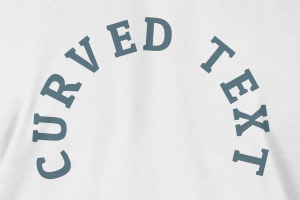
Text effects
-

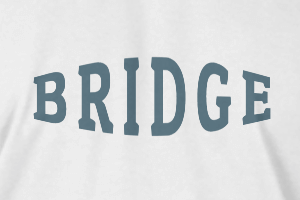
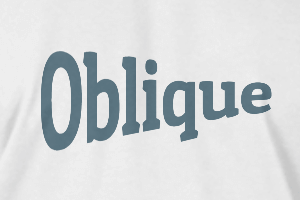
-
Radius
-
Spacing
-
Curve
-
Height
-
Offset
-
Trident
-
-
Text align
- Uppercase / Lowercase
- Font weight bold
- Text style italic
- Text underline